PEAKCUTTER
Cut the peaks.
Keep the punch.
A clipper that holds its ceiling. Push your drums, bass or whole mix into the ceiling and PEAKCUTTER cuts everything above it, hard or with one of five soft shapes. You get more loudness, and not a single sample goes over the line.
What it does
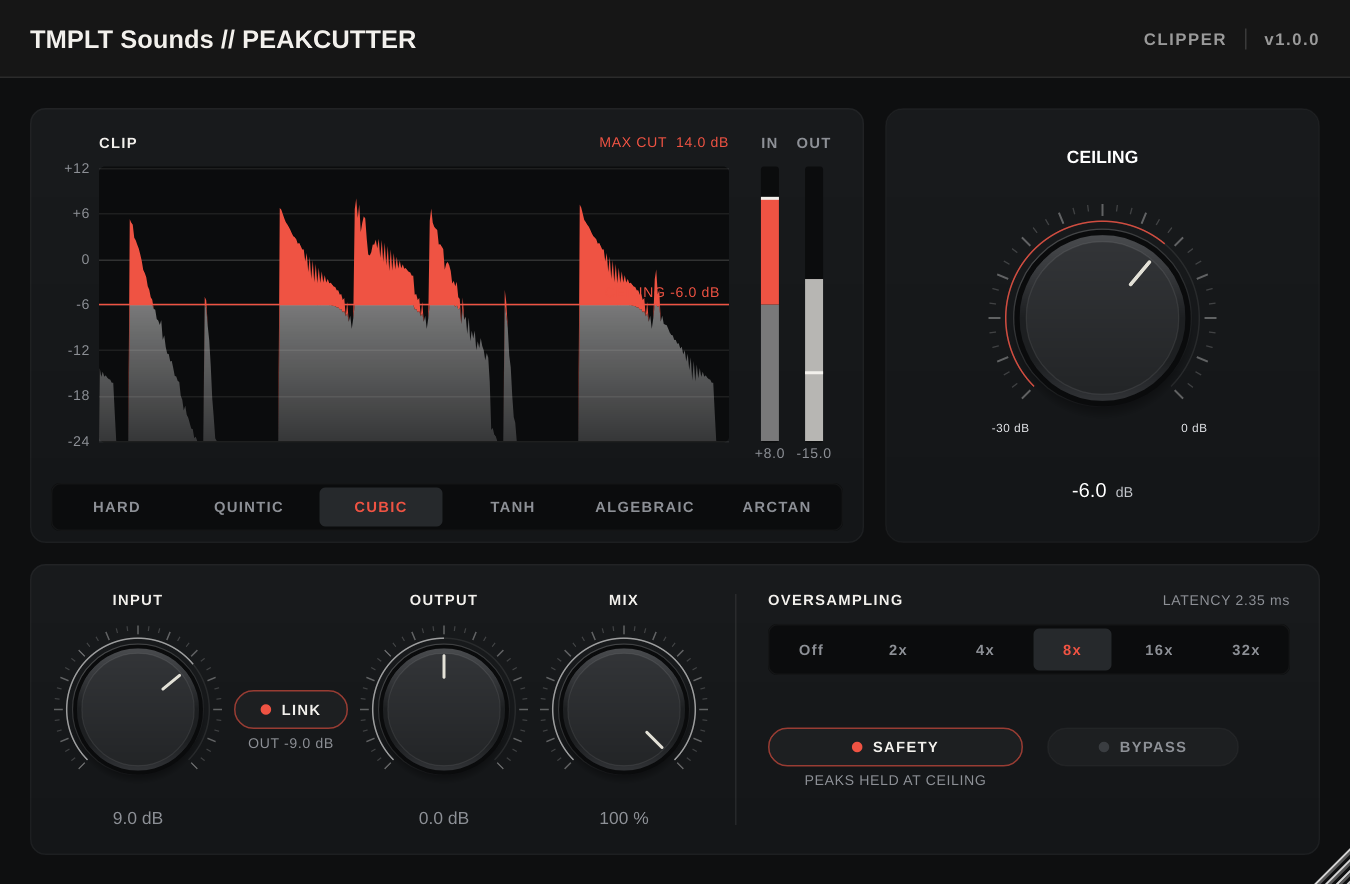
- F/01
Ceiling & input
Ceiling from −30 to 0 dB, Input ±24 dB. Drive the signal into the ceiling and everything above it gets cut.
- F/02
Six shapes
Hard for the classic clipper sound, or Quintic, Cubic, Tanh, Algebraic and Arctan for softer knees, all the way to gentle saturation.
- F/03
Safety
Oversampled clippers let peaks slip up to 4 dB over their ceiling. With Safety on, a 1 ms peak catcher makes sure no sample goes over it.
- F/04
Up to 32x oversampling
Off to 32x against aliasing, with clean linear-phase filters. The latency stays the same at every setting, so switching never clicks.
- F/05
Link, mix & output
Link pulls the input gain back on the output, so Input changes how much gets cut, not the volume. Mix blends dry and wet with no comb filtering.
- F/06
See the cut
The last two seconds of peaks, in red what gets cut, plus IN and OUT meters and the biggest cut in the window.
System
- macOS
- 11+ VST3 · AU · Standalone · Apple Silicon & Intel
- Windows
- 10 / 11 VST3 · 64-bit
- Type
- Effect Stereo in and out, 2.35 ms latency at 48 kHz
Reviews
04 — Get it
PEAKCUTTER
Instant download for Mac and Windows, VST3, AU and a standalone app for Mac.