PHAZE
Bend the phase.
Keep the punch.
A distortion that bends phase, not level. A clipper squashes the waveform. PHAZE warps the phase of your sound with the sound itself, which works like feedback FM on any material. The envelope stays as it is, so transients keep their punch.
What it does
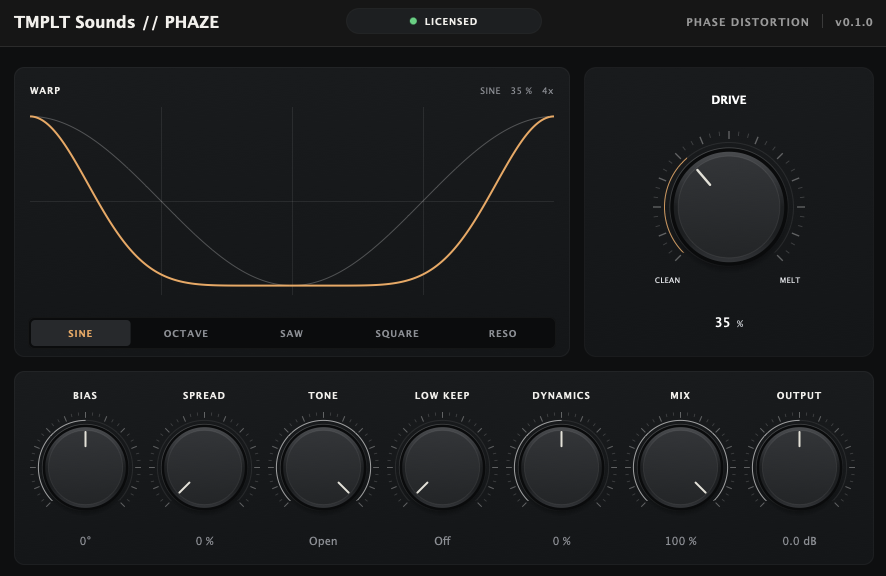
- F/01
Five warp modes
Sine for smooth phase modulation, Octave for odd harmonics, Saw and Square for hard bends in the phase, Reso for an edgy formant sound.
- F/02
Drive & bias
Drive sets how deep the warp goes. Bias turns the phase of the sound before the warp: alone it changes the waveform, with Drive it changes the tone colour.
- F/03
Spread
Pushes Bias apart on the left and right channel, up to ±90°. Stereo width from a mono source.
- F/04
Low keep
Everything below 20–500 Hz stays clean, so the fundamental of a kick or bass stays solid while the top gets warped.
- F/05
Dynamics
The input level drives the warp. Turn it up and loud hits get more warp, turn it down and they get less.
- F/06
Tone, mix & output
Tone filters only the distorted part. Mix blends dry and wet without comb filtering at any setting. Output ±24 dB.
Listen
System
- macOS
- 11+ VST3 · AU · Apple Silicon & Intel
- Windows
- 10 / 11 VST3 · 64-bit
- Type
- Effect Stereo in and out, about 2% CPU of one core
Reviews
05 — Get it
PHAZE
Instant download for Mac and Windows, VST3 and AU.